
Security
Control who can see a document, and what they can do with it.
Set the rules for the room, then set access for each person and document. Haspit keeps those rules in place when someone opens, downloads or prints a file.
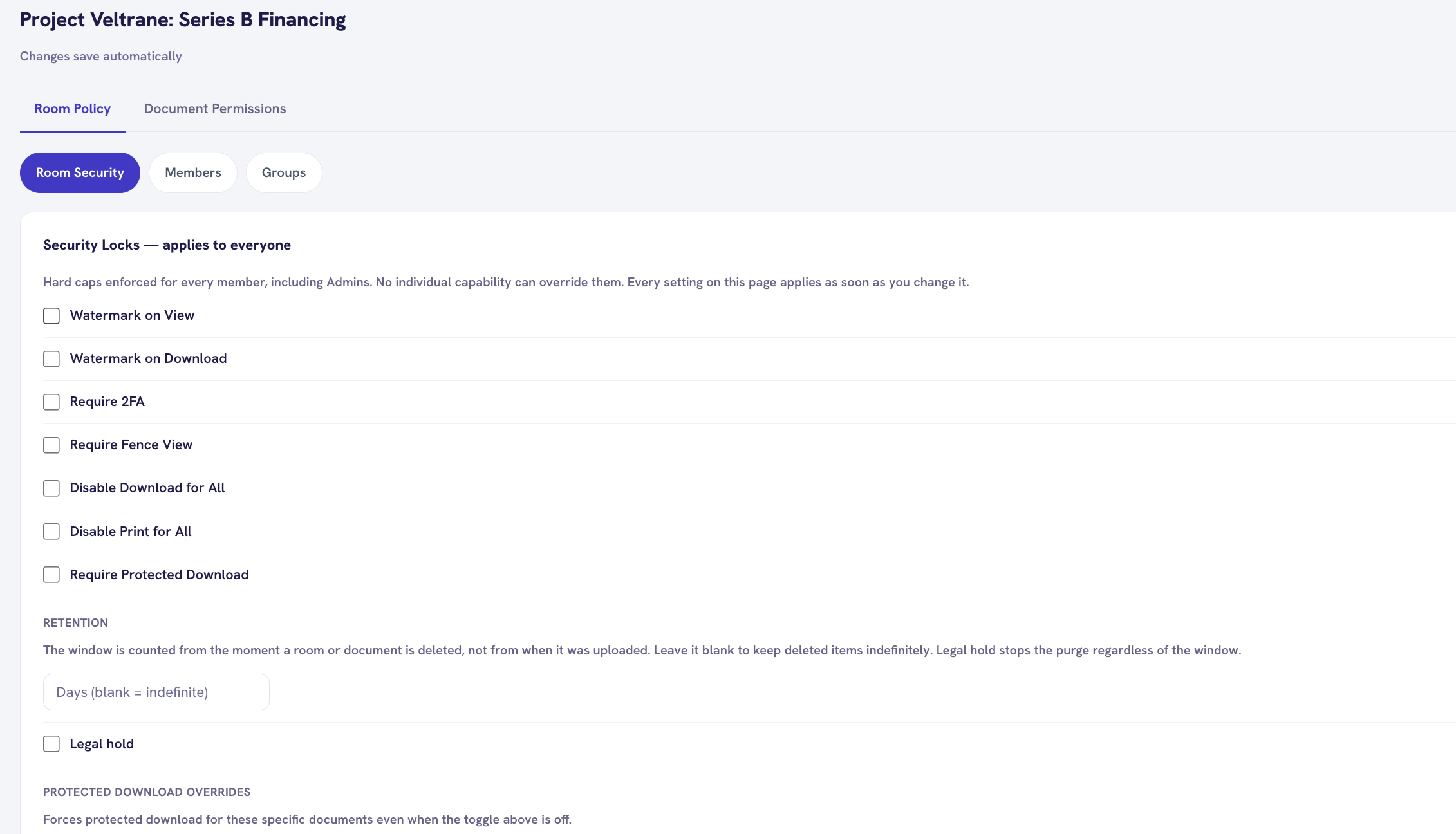
Room security
Set the rules for the whole room.
These settings apply to everyone in the room. You can turn on watermarks, require two factor authentication, or stop downloads and printing for everyone.
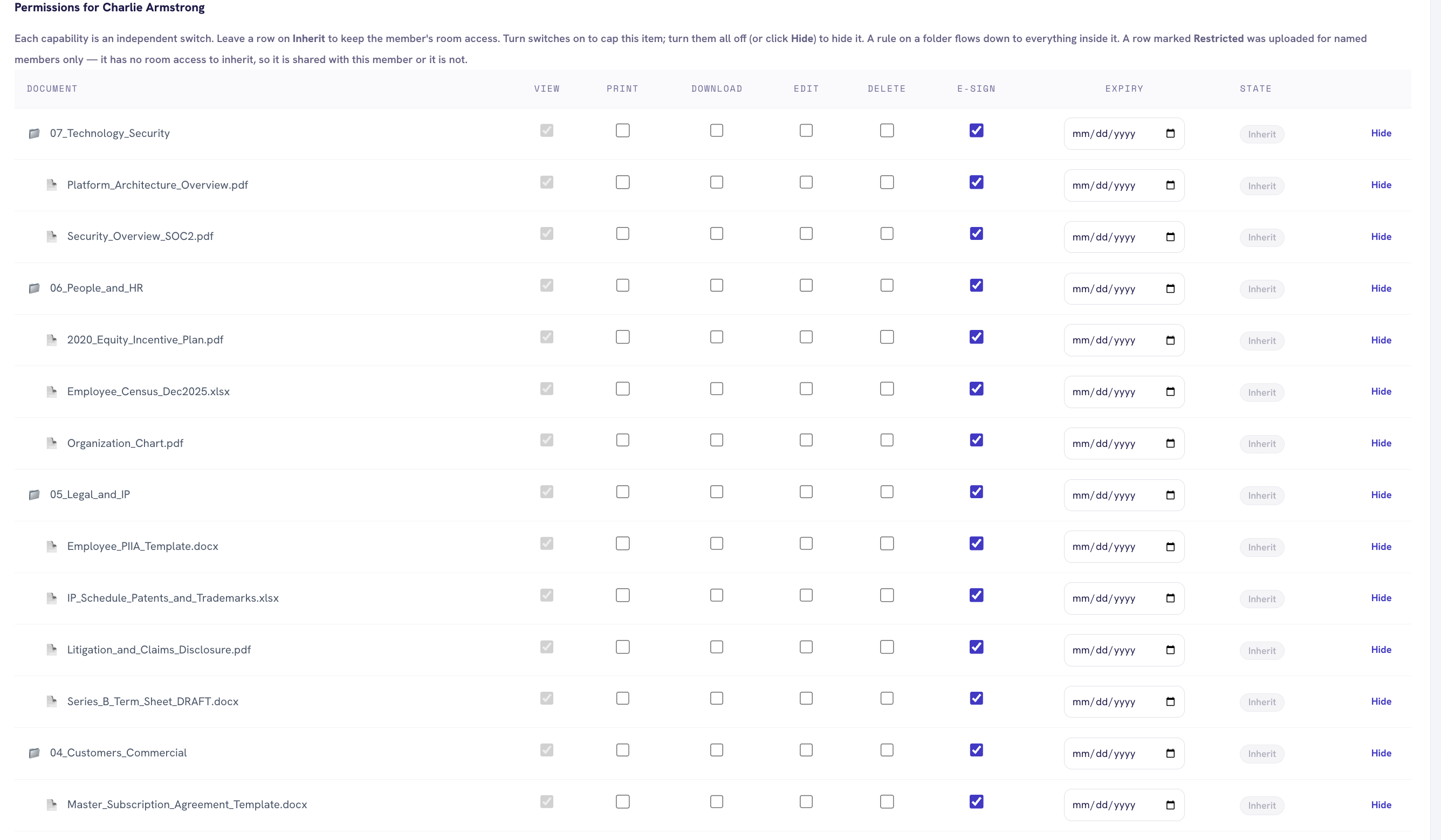
Document permissions
Give each person the access they need.
View, print, download, edit, delete and e sign can be set separately. You can also set an expiry date for a document.
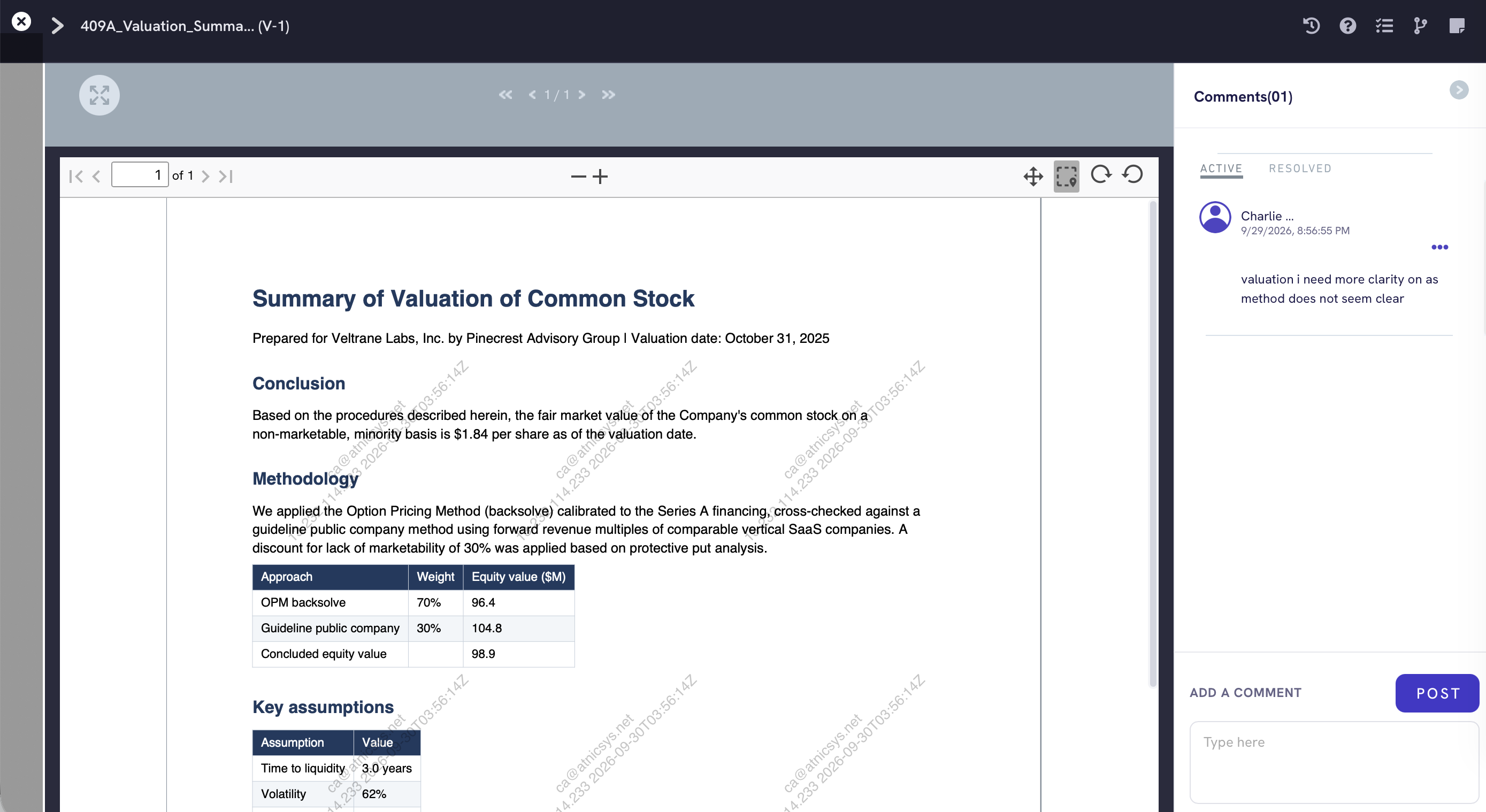
Watermarks
The document shows who is reading it.
The viewer can show the reader's name, email, address and time across the document. The watermark stays visible when the document is zoomed.
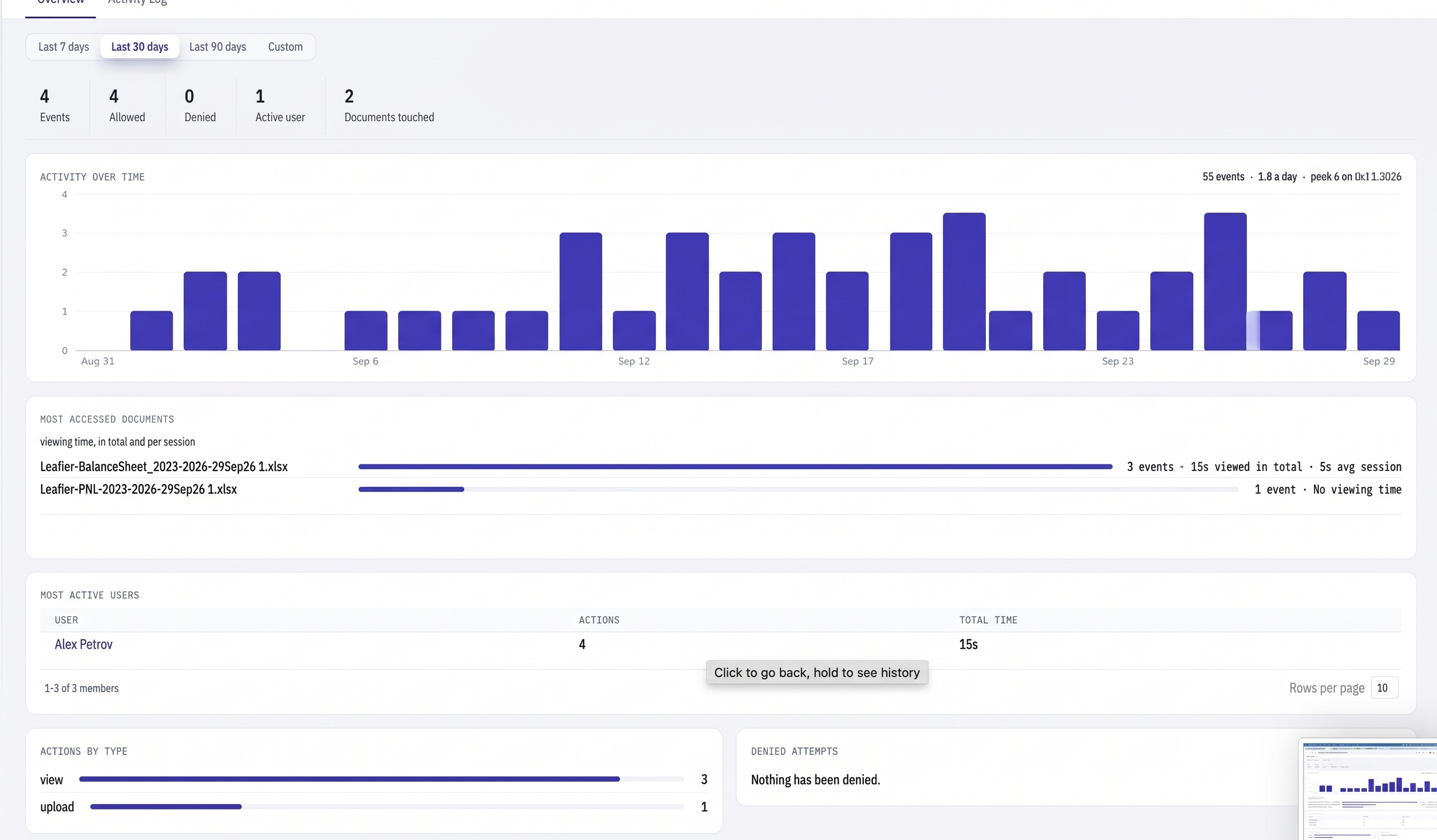
Activity
See what happened in the room.
The activity log shows document views, downloads and denied attempts. You can see who did it, when it happened and which document was involved.
One more thing
Security should be easy to check.
Open the room settings, see the rules, and change them when the deal changes. There is no separate security console to manage.